WiFi vs Mobile Data: Which Is Better to Choose?
Choosing between WiFi and mobile data isn’t as simple as picking the faster connection. Speed, security, battery life, cost, and coverage all matter. In this guide, you’ll learn when WiFi is the better choice, when mobile data wins, and how to choose the right connection for different situations.
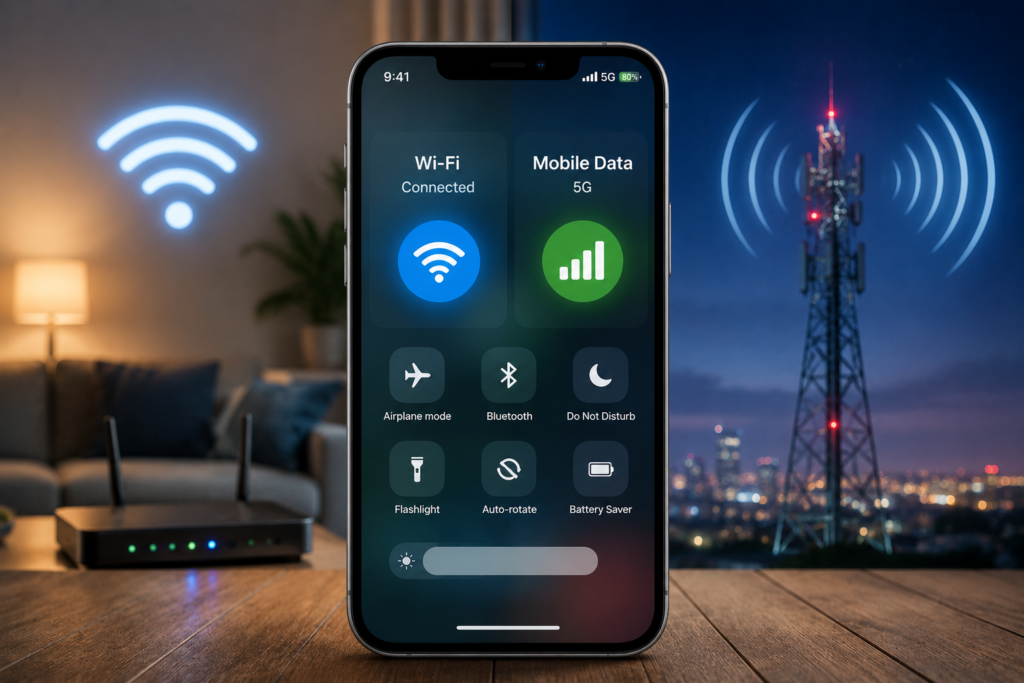
WiFi: Usually the best choice for streaming, downloading large files, video calls, online gaming, and everyday internet use. Most home broadband plans provide much more data than mobile plans, making WiFi the better option for heavy usage.
Mobile Data: Usually the better choice when you’re travelling, commuting, or using the internet away from home. It’s also more secure than most public WiFi networks.
The best choice depends on your situation. WiFi and mobile data each have advantages, and knowing when to use them is more important than choosing one permanently.
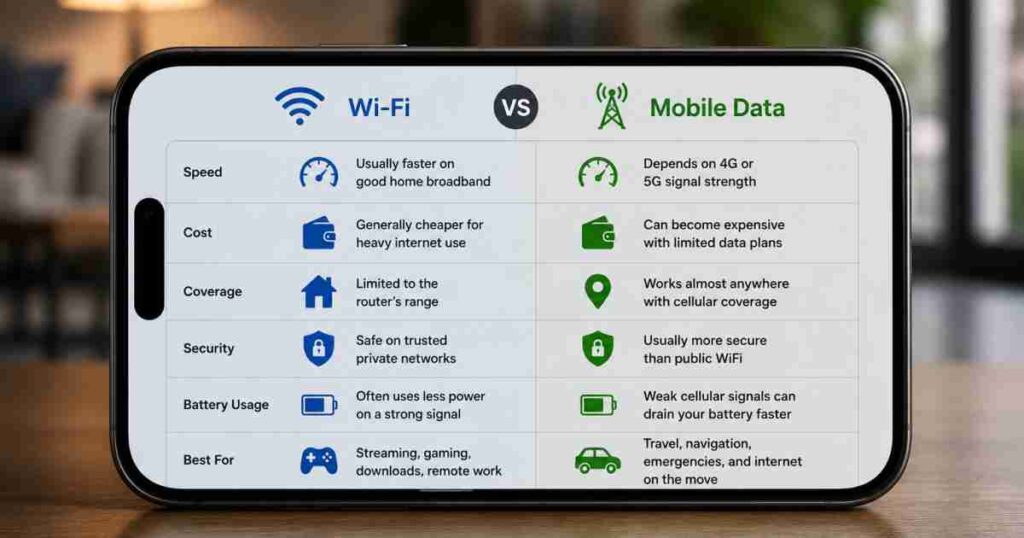
WiFi vs Mobile Data at a Glance
| Feature | WiFi | Mobile Data |
| Speed | Usually faster on good home broadband | Depends on 4G or 5G signal strength |
| Cost | Generally cheaper for heavy internet use | Can become expensive with limited data plans |
| Coverage | Limited to the router’s range | Works almost anywhere with cellular coverage |
| Security | Safe on trusted private networks | Usually more secure than public WiFi |
| Battery Usage | Often uses less power on a strong signal | Weak cellular signals can drain your battery faster |
| Best For | Streaming, gaming, downloads, remote work | Travel, navigation, emergencies, and internet on the move |
Is WiFi Better Than Mobile Data?
For many, yes, WiFi works out to be cheaper with greater allowances of data and decent all-round performance, but it isn’t always “best” in all of the situations. You are not picking between two technologies but rather two ways of connecting to the Internet.
Think of WiFi as the tap water in your home; you can use it freely without worrying about every litre. Mobile data is more like carrying a bottle of water while travelling. Every gigabyte matters if you’re on a limited plan.
This is why just about everyone out there instinctively connects to WiFi whenever they’re offered. After all, it saves a little money; not only that, but it means you can freely download large applications on your phone, catch up on shows or the latest viral sensation, and also back up a large number of pictures all in one burst without fear of having no data left at the end of the month, day, or hour.
Which Is Faster: WiFi or Mobile Data?
WiFi will typically outperform when it is on a solid home network, but at times mobile data, specifically 5G, is faster than poor-quality, outdated, or over-burdened WiFi. Whether your mobile data or the wifi is faster is based on the network, not on the data service/wifi tech.
Unfortunately, you may not get the one-size-fits-all answer you’re looking for because so many factors go into internet speed.
WiFi is usually faster when
- You own a modern router and use it with fast broadband. Most of the time, things stream without issue; downloading large games and video calls are more fluid as your connection doesn’t suffer as much interference if you’re in a busy area.
- You’re near the router: the fastest Wi-Fi needs close range and struggles to punch through multiple walls/rooms that use thick concrete for construction, not just plastering over gaps that the signal can penetrate.
Mobile data is usually faster when
- You have a 5G network with solid 5G coverage. 5G speeds even make older Wi-Fi routers with slower internet packages look sluggish in much of the cities.
- There are too many users in public WiFi, airport WiFi, university WiFi, coffee shop WiFi, shopping mall WiFi, or hotel WiFi.
- There are typically hundreds of users on the same network! Public WiFi isn’t as private as many think; even when it seems like you have dedicated bandwidth, everyone on the WiFi is sharing it.
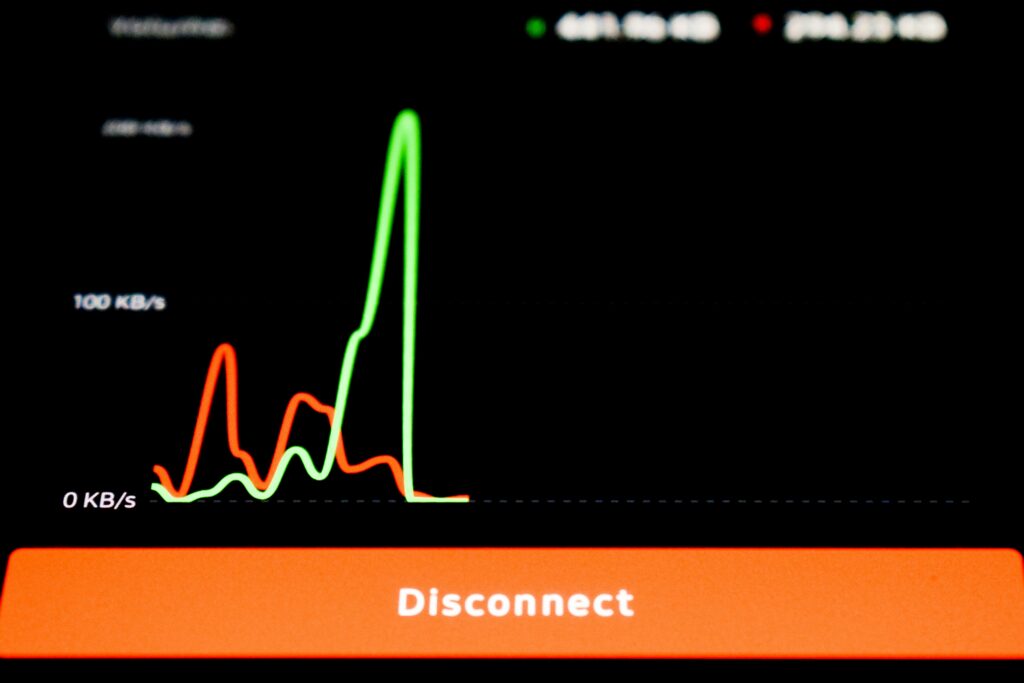
A mistake many people make
You want to call your internet company, but it’s just your router’s position. If you shove your router in an inside cabinet, behind your TV, or in a closet, your WiFi signal will be substantially slower than it could be. Place it in a central, open location instead, and you’ll likely see a bigger speed boost than if you bought the “faster” internet plan.
Real-life example
Imagine you’re downloading a 10 GB game.
- On fibre internet at home, WiFi will virtually certainly finish sooner, and there is no need to worry about your allowance.
- At a busy airport on WiFi, your phone’s 5G connection would probably complete the download considerably faster, if only you had a sufficient plan to permit that!
The key takeaway is simple: don’t judge WiFi or mobile data based on one bad experience. The quality of the network matters far more than the type of connection.
In the next section, we’ll look at another factor many people ignore until their monthly bill arrives: which option actually saves you more money.
Is WiFi Cheaper Than Mobile Data?
Yes, in the majority of cases it’s cheaper. If you stream video, download games or are internet-dependent at home, your WiFi will generally stretch so much further per month than an out-of-this-world mobile plan. Most people don’t recognise that the real internet expense lies not in the cost of monthly plans but in the value – how much data you receive for that price. Most home internet plans allow everybody in the house to effectively utilise one single subscription, so you might never actually need to pay much thought about your gigabytes, regardless of whether it’s Netflix, a laptop system update, or a million-plus-photo library.
However, mobile data works completely differently from your Wi-Fi. Even though unlimited plans are everywhere, mobile data contracts often limit how much high-speed data you can use at full speed. On a plan with a data allowance, just a couple of hours of HD film watching or downloading games will eat through a lot of data.
Here’s the part many people overlook
The most affordable internet isn’t the one with the lowest monthly cost. For example:
Do you buy so many extra gigabytes for a mobile plan each month since you can never have enough? You could buy one a bit bigger on your home broadband plan and not think about data limits for the rest of the year. Even with a slight added cost, this is far cheaper in the long run than over 12 months.
When WiFi saves you the most money
Use Wi-Fi when you:
- Download software updates. Android, iPhone, Windows, or Mac operating system downloads can total several GB, so Wi-Fi is always best.
- Stream movies or TV shows in high resolution. Even a few hours of streaming video in ultra-HD can churn away a hefty chunk of mobile data without you noticing.
Transfer photos or videos to cloud storage. Many phones automatically upload photo or video content to the cloud, and if not connected to Wi-Fi, it’ll do this over your mobile data allowance. - Download large apps or game updates. Plenty of newly released mobile games go above several gigabytes once you factor in all the content to stream after download.
When might you pay more for data?
Use mobile data when you can.
- You are travelling and don’t have access to reliable Wi-Fi.
- You want to navigate using maps on your phone in your car.
- Taking a virtual meeting outside of your home and not wishing to tether your laptop to your phone. Need access quickly during an emergency.
A common mistake
Keeping auto-updates on when you’re using mobile data. Some people choose to leave automatic app updates switched on while they are using their mobile phone and will silently download the many app updates to consume several gigabytes of data before realising it. A smart update is usually updating only on the WiFi connection, saving time and reducing unnecessary spending. You don’t always need to choose between WiFi and mobile data; use each wisely.
And that leads to another important question: which connection is actually safer?
Is WiFi or mobile data more secure?
Typically, mobile data is safer than public WiFi, as the data is run via the carrier where the data is encrypted; however, your trusted and private WiFi access through your home that utilises a decent password is also very secure. Now this next piece of advice isn’t for the faint of heart but is one that has been taught in some form or another for as long as the internet has been public. You may have heard a friend state something like this: ‘Some people believe all WiFi networks are dangerous, but that’s not true.’ A properly secured home WiFi network is generally very safe. The real risks usually come from unsecured or fake public WiFi hotspots.
Why public WiFi can be risky
Free WiFi: the pros and cons. When you can get free internet at the airport, cafes, hotels, shopping malls, or restaurants, it really becomes very convenient. However, this network will be used by you and a lot of people; you might notice that the network might have weak protection, and an attacker may try to keep monitoring the traffic or have a phishing hotspot named similarly to the legit AP. Example: Airport Free WiFi vs AirportFreeWiFi. Most users connect to the hotspot without verification.
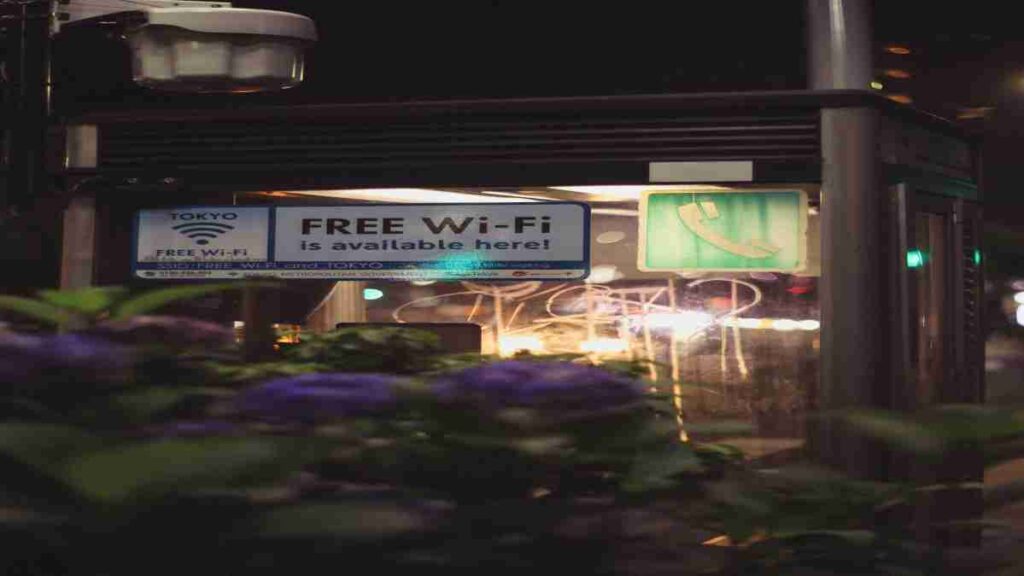
The surprising truth
You believe you’re safe when you flip WiFi off on your devices. Public Wi-Fi networks still pose security risks because if your phone automatically reconnects to networks it remembers, like public networks you’ve used in the past, you could reconnect to a network without realising it. It may be best to go through your stored networks periodically and delete any public ones from your phone’s memory.
Why mobile data is usually safer
Your phone talks to your provider using this secure tunnel of communication. That means someone lurking close to you in public places would find much more trouble in eavesdropping on your data than with the open signals on public Wi-Fi hotspots. It’s also a primary reason why many of us in cybersecurity tend to use mobile data.
When home WiFi is perfectly safe
Your home WiFi usually works well if you:
- Use a secure custom WiFi password, not the default router password;
- Use WPA2 or WPA3 security if available on the device
- Ensure your router’s firmware is up-to-date and never pass out your WiFi password for visitors and devices it is not required to be associated with.
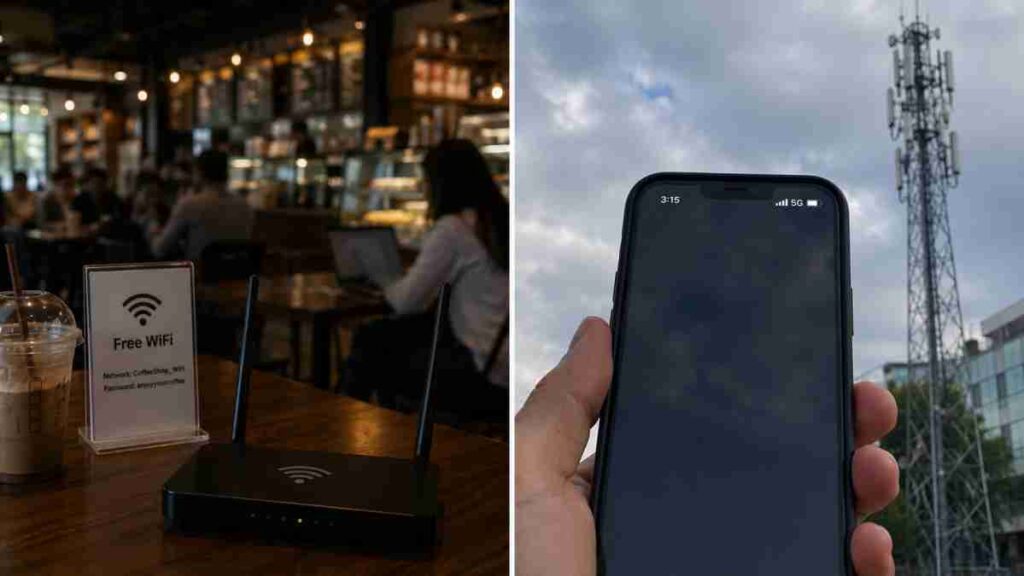
Should you use public WiFi?
Sure, that said, use caution. If you absolutely have to link on public WiFi,
- Don’t do internet banking or money matters on it.
- Do not visit sites unless they are secure using HTTPS.
- Disable auto file and document access on the laptop.
- Use a reliable VPN if you are sure to have use of public networks a lot.
Myth vs Reality
Myth: WiFi is always less safe than mobile data. Truth: Properly secure your home WiFi, and it becomes rock-solid security, while the actual risks come not from WiFi but from untrustworthy, unencrypted, or imposter WiFi hotspots publicly. WiFi vs mobile: Safety isn’t the only surprising difference between these connections.
The next question is, ‘What does phone signal strength do more harm than you realise?’
Does WiFi or Mobile Data Drain Your Battery Faster?
The No. 1 culprit behind battery drain (more than WiFi or mobile data) is a poor signal, causing your phone to go the extra mile. Lots of us end up pointing the finger at our phone’s battery when it really comes down to how we’re connected.
Here’s what that really means: Your device’s connection to the nearest WiFi router (or cellular service provider’s nearest tower, depending on whether you’re connected to WiFi) needs a certain level of signal.
When it can’t find it, your device bumps up its transmission power, which, of course, uses up more battery.
Why WiFi is usually more battery-friendly
Your home WiFi is right next to you and doesn’t eat up much battery to keep connected. This often helps explain how your battery holds out better when hooked up to home WiFi than when going on mobile data all day.
When mobile data drains more battery
Mobile data is a likely culprit if you find the battery drains:
- When your 4G/5G coverage is weak, your phone tries to locate a more reliable signal in the background, which eats away at the power even if you don’t realise you’re trying to get service. Travelling in a car, train, etc.
- When you are on the move, the phone is having to constantly communicate with the nearest tower. It is a ‘network handoff ‘, moving between cell sites constantly.
- When switching between 4G and 5G all the time, the cell sites that provide both are located next to each other. This often adds to increased usage.
Simple ways to improve battery life
Whenever you’re home and on WiFi, make sure your device is connected and turn off your cell phone data if you expect to be on WiFi for a while. (In an area with no service, Airplane mode will at least stop your phone from roaming to find a signal all the time). And update your phone, because the operating software usually comes with more power-efficiency tips.
Is WiFi or mobile data better for gaming?
Yes. A stable home WiFi connection would generally suffice for a gamer. However, a fast 5G would be better than a slow and choppy WiFi connection if your home connection is not that good and congested. You care about latency, not throughput (internet speed).
If you plan on playing games on-the-go or on public WiFi without any issue for online games like PUBG Mobile, Call of Duty Mobile, Free Fire, Mobile Legends, and so on, latency (ping), the amount of time the signal takes to make one round trip, matters a lot more than high throughput, i.e., maximum speed. You don’t need 500 Mbps; you need consistency and low latency.
What Really Impacts Your Gaming Performance?
The four biggest factors are the following:
| Factor | Why It Matters |
| Ping | The lower your ping, the faster your in-game actions get to the server. |
| Latency Stability | A stable latency means there will be no surprise delays in-game. |
| Packet Loss | If your packets don’t get through, your actions in the game might lag, appear to teleport, or even get ignored, meaning no shots get taken. |
| Jitter | If your jitter is high, even if you have super-speed internet, your connection will seem “bumpy” and unreliable |
A mistake most gamers don’t notice
Plenty of gamers sit with their device(s) across the house from the router, blaming game servers, while the real culprits are often too much distance & the WiFi’s penetration. Just move to 1 room or connect to the 5 GHz band vs the 2.4 GHz band & see drastic improvements.
For most gamers, a stable connection with low ping is more important than extremely high download speeds. Whether you choose WiFi or mobile data, consistency is what delivers the best gaming experience.
Pros and Cons of WiFi vs Mobile Data
| WiFi | Mobile Data |
| ✅Often more economical for data-heavy use | ✅ Available nearly anywhere with a network signal |
| ✅ Great for downloads and streaming | ✅ Generally more secure than public WiFi hotspots |
| ✅ Can use less battery than mobile data on a good WiFi signal | ✅No broadband setup needed and doesn’t use your landline |
| ✅ Easily supports several connected devices | ✅ Wonderful for navigation and travelling on the go |
| ❌ Range is limited by router placement and home signal strength | ❌ Mobile data plans can have data cap limits |
| ❌ Public wifi networks can be risky and may be vulnerable to data snooping | ❌ A weak signal can rapidly drain mobile device battery |
| ❌ Speed will be reliant on router quality and home infrastructure | ❌ Signal quality relies on signal strength to cell tower and cell tower load |
WiFi vs Mobile Data: Which One Should You Choose?
There isn’t a single winner because each connection is designed for different situations.
Choose WiFi if you:
- Spend most of your time at home or work.
- Watch videos every day.
- Download large files or games regularly.
- Want to reduce your monthly mobile data usage.
- Need reliable internet for remote work or online classes.
Choose mobile data if you:
- Travel frequently.
- Use navigation apps every day.
- Need the internet while commuting.
- Don’t trust the available public WiFi.
- Have a generous 4G or 5G data plan with excellent coverage.
The Best Strategy
So the next time the WiFi or mobile data question arises, don’t ask, Should I forever be on WiFi and never mobile data? Or should I always be on mobile data, avoiding WiFi? Ask: Given this current context, should I opt for mobile data or WiFi, and does it make the most sense for this specific task?
Conclusion
But there isn’t an all-round winner. When you connect will always depend on where you go and how you do it. If you are streaming or downloading big files and would like to connect through a more trusted network and a higher bandwidth speed when working, go with WiFi. And when you are travelling on the road or connecting at a public place when privacy is important, then connect on mobile internet. Choosing the right connection for the right situation will always give you the best experience.